
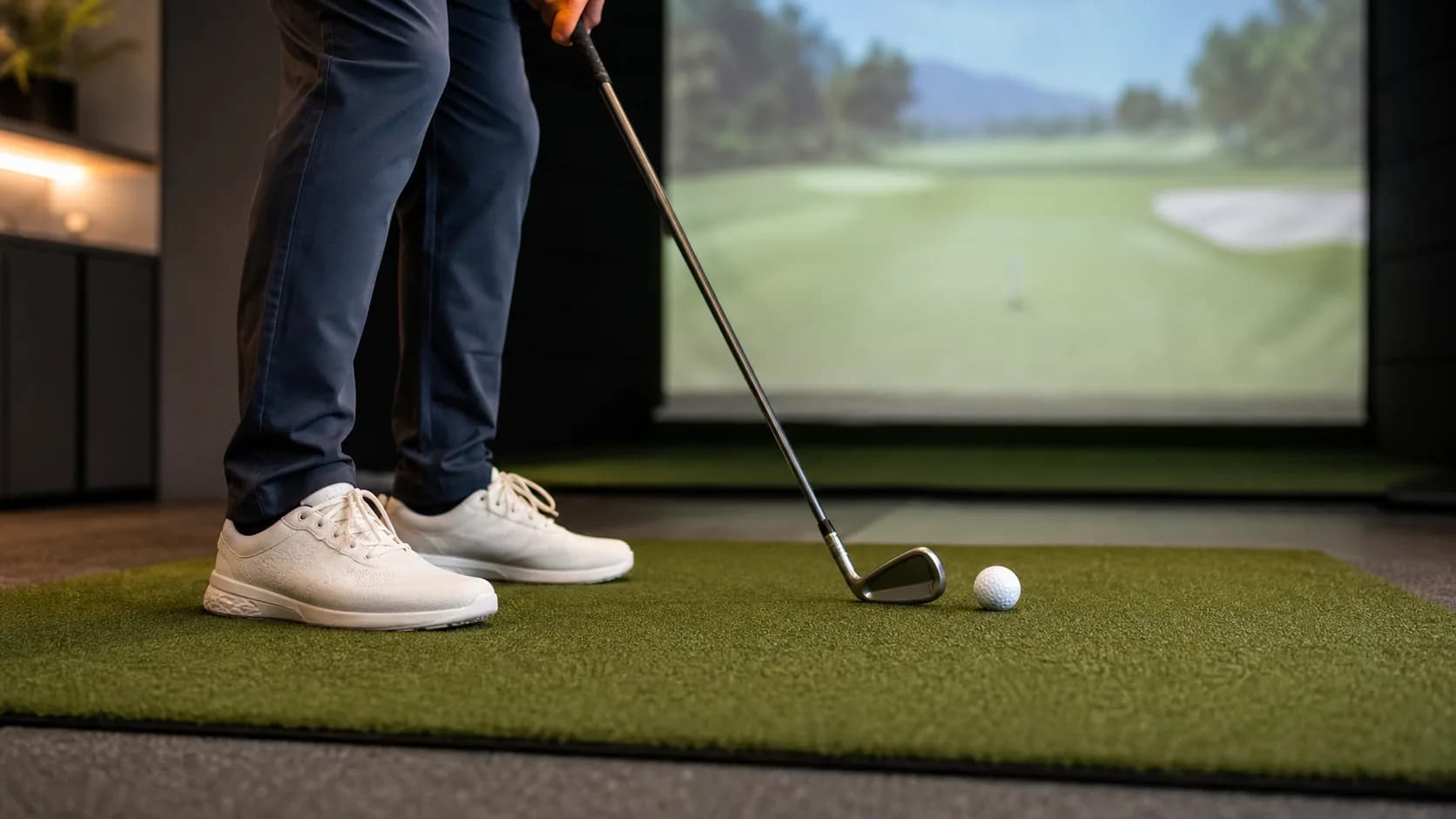
If you are booking your first indoor golf simulator bay, shoe choice is one of those small details that can save you from an awkward check-in, a slippery swing, or unnecessary mat wear.
The short answer: wear clean spikeless golf shoes or athletic sneakers with rubber soles. That is the best default for most public simulator venues. Avoid metal spikes, muddy outdoor shoes, and anything with a slick sole.
If the venue has its own policy, follow that first. Some indoor golf businesses allow soft spikes, while others prefer sneakers or spikeless shoes to protect mats and floors. When in doubt, check the venue listing, call ahead, or use GolfSimMap search to compare indoor golf options before you book.
Quick Answer
For most simulator sessions, choose shoes that are:
- Clean: no grass, mud, sand, salt, or range debris on the sole.
- Rubber-soled: sneakers, court shoes, training shoes, or spikeless golf shoes.
- Stable: enough side-to-side support for a full swing.
- Comfortable: you may be standing for 60-90 minutes, especially during practice.
- Venue-friendly: acceptable under the facility's posted rules.
A major indoor golf chain, Five Iron Golf, tells guests that proper golf attire is not required and recommends athletic clothes plus sneakers or rubber-soled shoes, while also noting that golf spikes are welcome at its locations. That is a useful reminder: there is no universal simulator dress code. Local venue rules matter.
Best Shoes for a Golf Simulator
1. Spikeless Golf Shoes
Spikeless golf shoes are usually the best all-around choice for indoor simulator golf.
They give you golf-specific traction and support without the aggressive cleats that can chew up turf mats or feel clunky on hard floors. They also work well if you are moving between the bay, bar area, restroom, lobby, and parking lot.
Choose spikeless golf shoes if:
- You already own a clean pair.
- You are taking a lesson or working on swing speed.
- You want more stability than running shoes.
- You play indoor golf often enough to justify a dedicated pair.
The key word is clean. If your spikeless shoes just came off a wet course, clean the soles before bringing them indoors.
2. Athletic Sneakers
Clean athletic sneakers are the easiest safe choice for most casual simulator bookings.
Look for a pair with a flat, grippy rubber sole. Court shoes, cross-trainers, and stable walking shoes tend to work better than soft running shoes because they resist twisting during the swing.
Sneakers are a good fit if:
- You are going to a social indoor golf venue.
- You are new to golf and do not own golf shoes yet.
- You are playing games, not grinding launch monitor numbers.
- You are sharing a bay with friends and want simple comfort.
The tradeoff: some running shoes have tall, cushioned midsoles that feel unstable when you rotate. If your feet roll during the swing, switch to a flatter shoe.
3. Soft-Spike Golf Shoes
Soft-spike golf shoes can work, but they are more venue-dependent.
Some simulator facilities allow them. Others would rather you wear sneakers or spikeless shoes because hard plastic spikes can mark floors, wear mats faster, or feel too aggressive on indoor turf.
Before wearing soft spikes indoors, check:
- Does the venue allow golf spikes?
- Are the spikes clean and not worn sharp?
- Will you be walking across finished floors or only turf?
- Are you using a premium hitting mat that has specific care rules?
Carl's Place, a golf simulator equipment company, advises users of its HotShot mats to wear clean spikeless golf shoes or athletic shoes and avoid hard plastic spikes or metal cleats that can damage the surface. That is equipment guidance, not a universal venue rule, but it explains why many simulator operators care about footwear.
Shoes to Avoid Indoors
Do not overthink the outfit. Do be picky about soles.
Avoid these shoes for simulator golf:
| Shoe type | Why it is a problem |
|---|---|
| Metal spikes | Can damage mats, flooring, and indoor surfaces |
| Muddy golf shoes | Tracks debris into the bay and can affect mat wear |
| Dress shoes | Slick soles and poor swing stability |
| Sandals or slides | Unsafe for swinging and moving around the bay |
| Barefoot or socks-only | Usually unsafe and not venue-appropriate |
| Heavy work boots | Poor feel, rough soles, and awkward rotation |
| High heels | Unstable and unsafe for a golf swing |
If you would not feel balanced making a full shoulder turn, do not wear it in the bay.
Do Simulator Shoes Affect Your Swing?
Yes, but not in a magic-equipment way.
Shoes affect three practical things:
- Traction: your feet need enough grip to rotate without slipping.
- Stability: the shoe should not collapse or roll when you shift pressure.
- Comfort: tired feet make long practice sessions worse.
A strong player swinging hard may notice shoe stability more than a beginner hitting half shots. For most golfers, the biggest upgrade is simply moving from slick casual shoes to clean spikeless golf shoes or stable sneakers.
Do not buy new shoes just for one casual simulator night. If you are booking weekly sessions or taking lessons, a dedicated clean indoor pair starts to make more sense.
What to Wear With Simulator Shoes
Most indoor golf venues are more relaxed than private clubs. You usually do not need a collared shirt, belt, or traditional golf outfit unless the facility says so.
A practical simulator outfit is:
- Clean sneakers or spikeless golf shoes.
- Athletic pants, joggers, shorts, or golf pants.
- A shirt that lets your shoulders turn freely.
- Layers if the venue keeps bays cool.
- A glove if you normally use one.
For a full first-time checklist, read what to bring to a golf simulator. Shoes are one piece of the visit; clean balls, glove, booking details, and clubs matter too.
Should You Bring a Separate Indoor Pair?
If you play indoor golf more than once a month, yes, a separate indoor pair is worth considering.
A dedicated indoor pair helps because:
- The soles stay clean.
- You avoid bringing salt, sand, and grass onto mats.
- You can pick shoes for stability instead of weather protection.
- You reduce wear on your outdoor golf shoes.
This is especially useful in winter cities where parking lots are wet or salted. Wear normal shoes into the venue, then change into your clean simulator shoes at the bay.
How to Choose Based on Your Session
Different simulator visits call for different footwear.
| Session type | Best shoe choice | Why |
|---|---|---|
| First-time casual booking | Clean athletic sneakers | Simple, comfortable, usually accepted |
| Practice session | Spikeless golf shoes | Better traction and repeatable setup |
| Lesson or swing evaluation | Spikeless golf shoes | More stable for full-speed swings |
| Date night or group event | Clean sneakers | Comfortable and casual |
| Club fitting | Your normal golf shoes, if allowed | Closer to your real playing setup |
| Home simulator | Clean spikeless shoes or trainers | Protects your mat and keeps the room cleaner |
If you are comparing venues for a specific type of visit, start with GolfSimMap's indoor golf search. You can also browse launch monitor venue categories if you care about data-heavy practice or explore TrackMan venue listings when the hardware matters to your session.
Local Venue Rules Still Win
Indoor golf is not one format. A training studio, a private rental bay, a bar-style simulator lounge, and a club-fitting shop can all have different footwear expectations.
Before you book, check the venue page for:
- Shoe policy.
- Club rental availability.
- Whether food and drinks are served near bays.
- Whether the venue is practice-focused or entertainment-focused.
- Any notes about bringing your own balls or clubs.
If a listing is missing details, use that as a prompt to call ahead. It is better to ask a 20-second footwear question than show up with shoes the venue does not want on its mats.
Bottom Line
For most indoor golf simulator sessions, wear clean spikeless golf shoes or athletic sneakers with rubber soles.
Choose spikeless golf shoes if you want the most golf-like stability. Choose sneakers if you are playing casually or trying a simulator for the first time. Avoid metal spikes, muddy soles, slick dress shoes, sandals, and anything unstable.
Then spend your attention where it matters: picking the right venue, booking enough bay time, and using your session with a plan. If you have one hour booked, pair this with our 60-minute golf simulator practice plan so you do more than hit random balls.
Sources
- Five Iron Golf FAQ for indoor golf attire guidance.
- Carl's Place Golf Simulator FAQs for beginner simulator expectations and clothing guidance.
- Carl's Place HotShot Golf Mats Care and Use Guide for mat-care footwear guidance.
FAQ
Do you need golf shoes for a simulator?
No. Most golfers can wear clean athletic sneakers to an indoor golf simulator. Spikeless golf shoes are better if you want more grip and stability, but they are not required at many casual venues.
Can you wear regular sneakers to indoor golf?
Yes, regular sneakers are usually fine if they are clean and have rubber soles. Stable court shoes or trainers are better than slick lifestyle shoes or very soft running shoes.
Are spiked golf shoes allowed in golf simulators?
It depends on the venue. Some indoor golf facilities allow soft spikes, while others prefer sneakers or spikeless golf shoes to protect mats and floors. Metal spikes should generally be avoided indoors.
Should golf simulator shoes be clean?
Yes. Clean shoes help protect hitting mats, flooring, and the general bay area. If your outdoor golf shoes have mud, grass, sand, or winter salt on them, clean them first or bring a separate indoor pair.
What shoes should beginners wear to a golf simulator?
Beginners should wear clean athletic sneakers or spikeless golf shoes. The goal is simple: be comfortable, stay balanced, and avoid shoes that slip or damage the indoor surface.
Related Articles
Can You Play a Golf Simulator Alone? Solo Guide
Can you play a golf simulator alone? Compare solo rates, self-service access, booking time, and a focused 60-minute practice plan.
ReadJoin a Golf Simulator League Without a Team: Solo Guide
Join a golf simulator league without a team: compare free-agent placement, solo leagues, schedules, fees, and beginner support before you register.
ReadGolf Simulator Distance Shorter Than Outside? 7 Checks
Golf simulator distance shorter than outside? Use this 10-shot test to separate carry, swing, settings, ball, mat, and bay-setup problems.
Read