
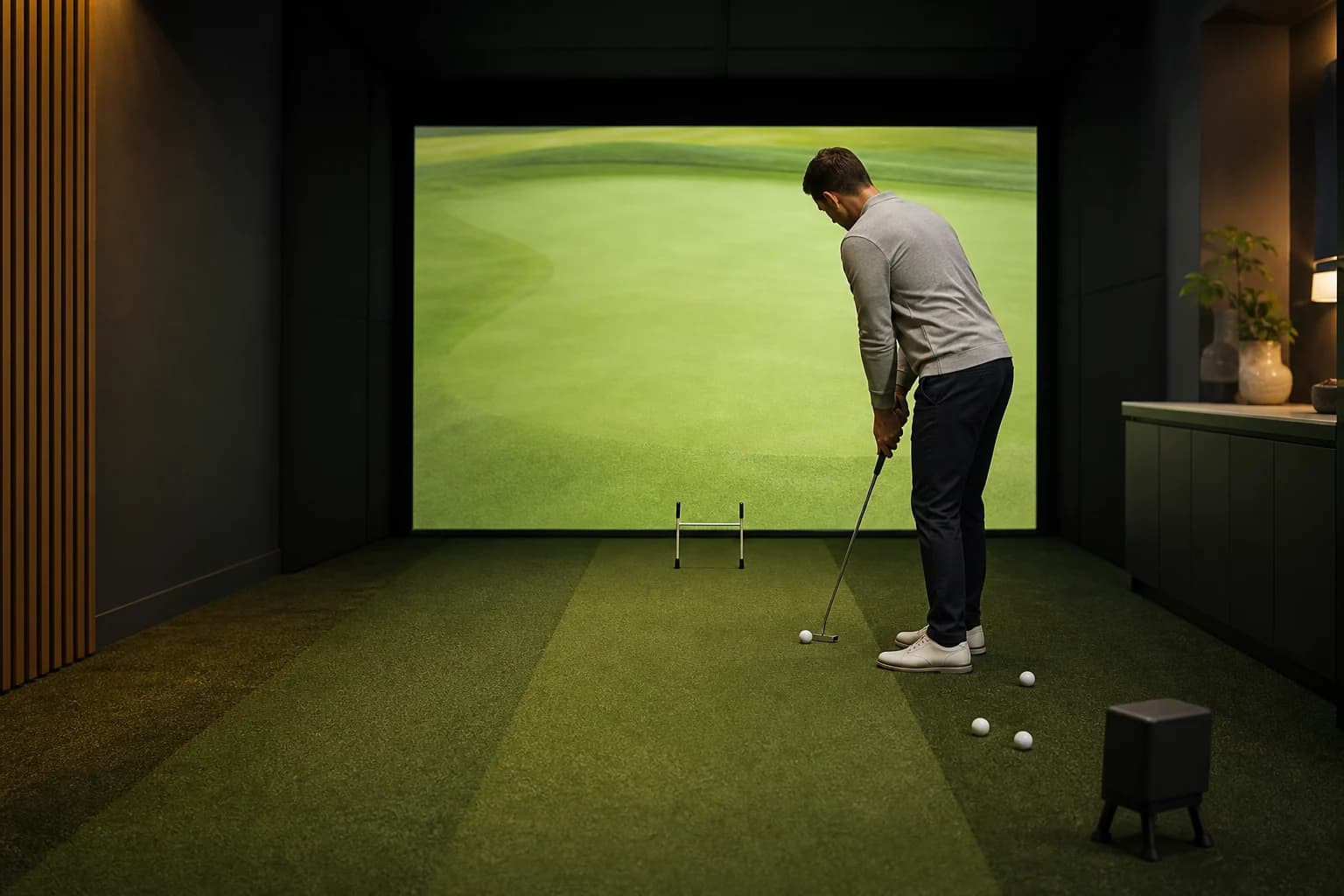
Simulator putting is one of the most misunderstood parts of indoor golf. Some golfers expect it to feel like a real green. Others switch on auto-putt immediately and never find out whether the system can help.
The practical answer is in the middle: golf simulator putting can be useful for start line, speed control, and repeatable indoor practice, but it is not a full replacement for outdoor putting. The value depends on the launch monitor, the software, the mat, and the rules your venue uses.
If you are booking an indoor bay through GolfSimMap search, use this guide to decide whether putting should matter for your session or whether you should focus on full swing, wedges, and course strategy instead.
Quick Answer: When Simulator Putting Is Worth Using
Simulator putting is worth using when:
- The venue's system explicitly supports putting.
- The hitting surface is level and long enough for a real stroke.
- The software lets you practice putts, not only finish holes.
- You want start-line feedback or pace discipline.
- You are playing a league or event where putting rules are part of the format.
It is not the best tool when:
- You need to practice reading real slope, grain, or green speed.
- The bay has a short, uneven, or worn putting strip.
- The software uses aggressive gimmes or auto-putt scoring.
- You are trying to treat simulator scores like outdoor scores.
For most golfers, the best use is simple: practice your first 10 feet of roll and your routine, then let outdoor greens teach you the rest.
Why Simulator Putting Feels Different
Outdoor putting is a surface-reading problem as much as a stroke problem. You are judging slope, speed, grain, moisture, wind exposure, old footprints, and how the ball loses energy near the hole.
Indoor simulator putting removes many of those variables. That is both good and bad.
Good because a controlled indoor mat can make it easier to repeat a stroke and see whether the ball starts on line. Bad because real greens do not behave like a flat synthetic strip aimed at a screen.
That is why two golfers can have opposite reactions:
- The practice-focused golfer likes the repeatability.
- The course-focused golfer dislikes how artificial the read feels.
Both can be right.
What a Simulator Can Measure on Putts
Different systems handle putting differently, so do not assume every venue bay is the same.
Some launch monitors and simulator platforms can capture putting-specific data. Trackman's current support documentation includes putting analysis for face angle, path, launch direction, and tempo, plus separate definitions for measurements such as skid distance. Foresight's current documentation is more model-specific: its dedicated putting-analysis mode is available on GCQuad and QuadMAX, while other models can have different ball- and club-tracking capabilities. Check the exact hardware and software at the venue instead of assuming that every unit from one brand handles putting the same way.
That does not mean every installation is equally good for putting. The hardware may support it, but the room still has to be set up correctly.
Before you judge putting accuracy, separate the system into four parts:
| Factor | Why it matters | What to check |
|---|---|---|
| Launch monitor | Determines what the ball data can capture | Does the system support putting mode? |
| Software | Controls virtual roll, breaks, gimmes, and scoring | Can you change auto-putt or gimme settings? |
| Mat and turf | Affects roll quality before the ball is measured | Is the strip level, clean, and long enough? |
| Bay setup | Affects alignment and minimum read distance | Is the ball placed where the system expects it? |
If one of those pieces is off, putting can feel random even when the equipment is capable.
The Best Uses for Simulator Putting Practice
1. Start-line work
Start line is the cleanest indoor putting use case. You are asking one basic question: did the ball begin on the line I intended?
That is useful because many missed putts start poorly before speed or break even matters. A simulator bay gives you a controlled setup where you can repeat short putts without chasing balls around a practice green.
Trackman's launch-direction guidance gives useful scale for a straight putt: it says a start within 2 degrees can hole a 5-footer, while a 10-footer needs about 1 degree. Those are Trackman-specific guidance points, not a universal accuracy promise, but they show why start-line feedback becomes more demanding as distance increases.
Try this:
- Pick a straight 6-foot putt.
- Hit 10 balls with the same routine.
- Track how many start inside your intended window.
- Change only one thing at a time: setup, face aim, tempo, or ball position.
This is not glamorous, but it is one of the few putting drills where indoor feedback can be genuinely useful.
2. Pace control on flat putts
Distance control is harder indoors than start line, but it can still help if the software and mat are consistent.
Use ladder drills:
- 5 feet
- 10 feet
- 15 feet
- 20 feet
- 30 feet
The goal is not to memorize one simulator's green speed. The goal is to build a calmer stroke length system. If your 20-foot stroke is wildly different every time, the simulator will show that quickly.
Keep expectations reasonable. A 30-foot virtual putt on a simulated green does not perfectly predict a 30-foot putt on a fast outdoor green after rain, sun, or mower changes.
3. Pre-shot routine practice
Simulator putting is excellent for routine. You can work on:
- Picking a target.
- Taking the same number of looks.
- Setting the putter face first.
- Matching stroke length to the intended pace.
- Holding your finish.
That routine can travel outdoors even when the green-read does not.
4. Indoor league scoring
If you play indoor leagues, putting settings matter because they affect scoring. A league that uses 6-foot gimmes plays very differently from one that requires every putt. A format with auto-putt may reward approach shots more than putting skill.
Before you join, ask the venue:
- Are putts played out, auto-putted, or given inside a set distance?
- Are gimme settings the same for every player?
- Are putting rules different by league division?
- What happens if the system fails to read a short putt?
Clear rules matter more than perfect realism.
When You Should Ignore Simulator Putting
Casual rounds with friends
If the goal is a fast social round, auto-putt is fine. You are paying for entertainment, not a putting lab.
This is especially true for groups. Putting out every hole can slow the session and create friction if players do not know how the system reads short putts. For a first-time group, use the venue's default settings and focus on keeping the round moving.
If you are unsure how long to book, start with GolfSimMap search and compare each venue's booking rules, group limits, and default putting settings.
Outdoor green reading
Do not use simulator putting as your main green-reading practice. A screen cannot fully recreate what your feet, eyes, and pace feel on a real green.
Use outdoor practice greens for:
- Reading slope with your feet.
- Adjusting to different speeds.
- Practicing breaking putts.
- Feeling uphill and downhill pace.
- Learning how weather changes roll.
The simulator helps with mechanics and routine. The course teaches judgment.
Handicap assumptions
Be careful with simulator scores. The USGA's acceptable-score guidance says a handicap score must be played in an authorized format, with at least one other person, under the Rules of Golf, and on a course with Course Rating and Slope Rating during its active season. A normal simulator round does not meet that full description, so treat it as practice or entertainment unless your authorized association gives specific guidance for your situation.
That does not make them useless. It just means you should not confuse a good indoor score with a handicap-posting round.
What to Ask Before Booking a Bay for Putting
If putting matters to you, call or message the venue before you book. Ask five questions:
- Does your simulator setup support putting?
- Do you normally use auto-putt, gimmes, or played-out putting?
- What is the minimum putt distance the system reads reliably?
- Is the hitting surface level enough for putting practice?
- Can I use a practice mode specifically for putting or short game?
The answers tell you a lot about the venue. A staff member who can explain settings clearly is usually a good sign. A vague "it works fine" is not a dealbreaker, but it means you should book a shorter first session before committing to a league or membership.
You can also compare venue types. Training studios are more likely to care about practice setup. Social simulator bars may prioritize speed, group flow, and game modes. Private rental bays vary widely.
Start with indoor golf venues near you, then narrow by city or state. If you are comparing markets, browse examples like California indoor golf venues, Texas golf simulator venues, or Florida indoor golf venues.
How to Run a 20-Minute Simulator Putting Test
If you have a bay to yourself, use this simple test before deciding whether the setup is good enough for putting practice.
| Time | Test | What you are learning |
|---|---|---|
| 0-5 min | Straight 5-foot putts | Does the system read short putts consistently? |
| 5-10 min | Straight 10-foot putts | Can you control start line and pace? |
| 10-15 min | Ladder drill from 10-30 feet | Does distance feedback feel consistent? |
| 15-20 min | Three-hole putting finish | Do software breaks and scoring feel playable? |
Keep notes after the session:
- Did the system miss reads?
- Did identical putts produce wildly different results?
- Did the surface roll the ball cleanly?
- Were the software breaks understandable?
- Did putting add value, or did it slow the session down?
If the answer is mostly positive, use the venue for putting drills. If not, use the bay for full swing and wedges, then do putting work outdoors.
For a full one-hour indoor plan, pair this with the 60-minute golf simulator practice plan.
Venue Selection: Putting Should Not Be Your Only Filter
Putting matters, but it should not outweigh everything else.
For most golfers, the bigger venue-selection questions are:
- Is the launch monitor useful for your practice goals?
- Does the bay have enough space for driver?
- Are prices reasonable for solo practice?
- Can you book at the times you actually need?
- Does the venue offer coaching if you want help?
- Is the location convenient enough to use regularly?
If you care most about full-swing data, compare launch monitor categories and hardware pages first. GolfSimMap has pages for launch monitor basics, TrackMan venues, and Foresight venues.
Then treat putting as a tiebreaker. A venue with excellent full-swing data and average putting may still be the best fit for winter practice. A venue with fun putting games but weak setup quality may be better for groups than serious training.
Bottom Line
Golf simulator putting can be accurate enough to be useful when the system supports it, the bay is set up correctly, and your goal is realistic. That is different from saying every bay is accurate or that a virtual green can replace outdoor practice.
Use it for:
- Start line.
- Pace discipline.
- Routine.
- Indoor league familiarity.
Do not rely on it for:
- Complete green reading.
- Outdoor speed judgment.
- Handicap assumptions.
- Testing whether you are a great putter.
The smart move is to match the venue to the session. If you are practicing, ask about putting support and bay setup before you book. If you are playing a casual round, use the venue's auto-putt or gimme rules and keep things moving.
Either way, start with GolfSimMap search and choose the indoor bay that fits how you actually plan to use it.
FAQ
Are golf simulators accurate for putting?
Some simulator systems are useful for putting, especially for start line, ball speed, and short indoor practice. They are less reliable as a replacement for outdoor green reading, slope judgment, grain, wind, moisture, and real surface variation.
Should I turn on auto-putt in a golf simulator round?
Use auto-putt for casual rounds, leagues that define clear scoring rules, or time-limited bookings. Turn it off when your goal is putting practice, distance control, or learning how the venue's software handles short-game scoring.
What should I ask a venue before booking a simulator for putting practice?
Ask whether the system supports putting, what minimum putt distance it reads, whether the bay has a level putting strip, whether putting mode needs special setup, and whether league or event rounds use auto-putt or gimmes.
Can simulator putting practice help my real golf?
Yes, if you use it for repeatable start-line work, pace calibration, and pre-shot routine practice. It is weaker for green reading and adapting to real turf conditions, so combine it with outdoor putting green work when possible.
Do simulator scores with putting count for handicap?
Do not assume they count. Handicap scoring rules depend on acceptable-score requirements under the World Handicap System, including course-rating context and normal Rules of Golf conditions. Treat simulator scores as practice or league scores unless your governing body or event explicitly says otherwise.
Sources
- Trackman: Putting Analysis — official overview of available putting feedback.
- Trackman: Launch Direction (Putting) — official definition and straight-putt start-line examples.
- Trackman: Skid Distance (Putting) — official definition and practice context.
- Foresight Sports: Ball Lock Indicators and Putting Mode — current model-specific putting-mode support.
- Foresight Sports: GCQuad — official putting-analysis feature and model comparison.
- USGA: Acceptability of Scores — handicap score requirements.
Related Articles
Do Golf Simulators Have Clubs? Rental Guide
Many indoor golf venues offer club rentals, but availability, fees, handedness, and set makeup vary. Use this checklist before you book.
ReadCan You Play a Golf Simulator Alone? Solo Guide
Can you play a golf simulator alone? Compare solo rates, self-service access, booking time, and a focused 60-minute practice plan.
ReadJoin a Golf Simulator League Without a Team: Solo Guide
Join a golf simulator league without a team: compare free-agent placement, solo leagues, schedules, fees, and beginner support before you register.
Read