
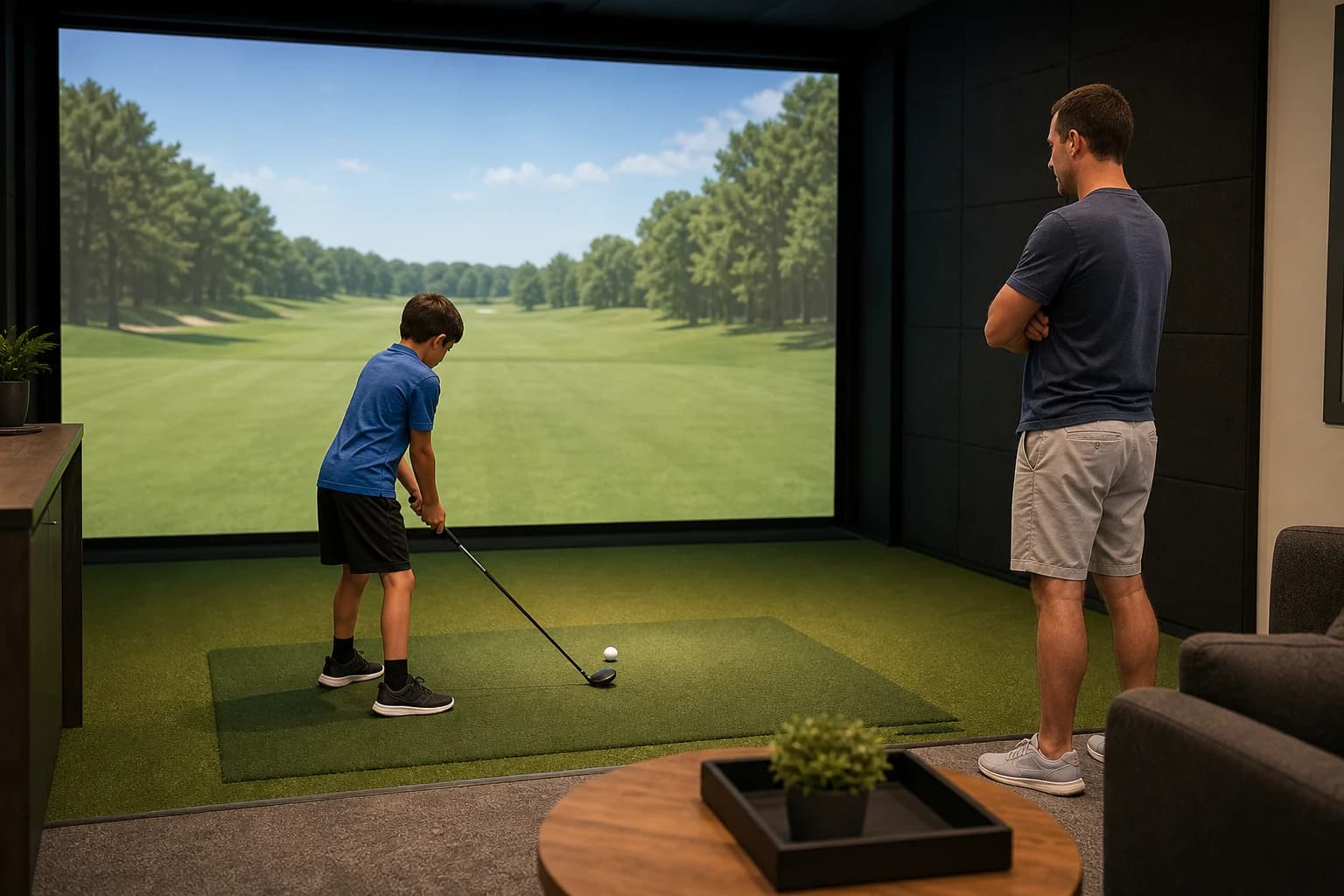
Yes—kids can play golf simulators, and many indoor golf venues welcome families. The catch is that there is no universal minimum age or supervision rule. One location may welcome all ages with an adult, while another may set a minimum age, restrict minors after a certain hour, or require a waiver.
That makes the venue—not the simulator—the real decision. Before you book, confirm the child policy for the exact location, ask whether junior clubs are available, and choose a bay where your child can follow one simple safety rule: only one person swings at a time.
Fast answer for parents
- Most school-age children can try simulator golf if they can handle a club safely and follow staff instructions.
- Age policies vary by venue. Do not assume “family-friendly” means every age is allowed at every hour.
- An adult may need to stay in the bay. The cutoff can differ from one business to another.
- Junior clubs are not guaranteed. Ask about club length, right- or left-handed sets, and rental fees.
- Games usually work better than an 18-hole round for a first visit. Start with targets, closest-to-the-pin, or another short challenge.
If you are still choosing a location, start with GolfSimMap’s family-friendly simulator venues, venues for families, or the main indoor golf search.
Is there a minimum age for golf simulators?
There is no single age rule across indoor golf venues.
Current venue policies show how different the answer can be:
- Perfect Shot Indoor Golf says all ages are welcome, but juniors under 12 must have an adult with them.
- Swing Zone Golf welcomes children and requires anyone under 16 to be accompanied by an adult.
- Sweet Spot Golf Club says children must be older than five and accompanied by a parent who has a membership.
- The Perfect Round has an evening policy that limits its facilities to guests 21 and older after 6 p.m.
These are examples, not nationwide standards. Policies can also change. Check the booking page for the location you plan to visit and call if the wording is unclear.
The better question is not “What age can a child use any simulator?” It is “Can my child use this venue, at this time, in this bay?”
Is your child ready for a simulator bay?
Age helps less than behavior. A seven-year-old who waits behind the hitting area may be a better fit than an older child who swings a club while someone else is collecting a ball.
Before booking, make sure your child can:
- Wait until the hitting area is clear.
- Keep the club down when another person is swinging.
- Stay behind the venue’s safety line or designated waiting area.
- Leave dropped balls and equipment alone until an adult says the area is safe.
- Stop immediately when a parent or staff member asks.
Avid Indoor Golf’s FAQ states that only one person is allowed in its simulator swing area at a time and that waiting players should remain outside it. A published Topgolf child-safeguarding policy similarly tells participants to wait behind the designated safety line while another person swings.
Those rules are good defaults even when the bay looks spacious. A simulator screen is close, but the club still travels through a full-speed arc.
Parent rule: one golfer, one club, one clear hitting area.
What to ask before booking a golf simulator for kids
A “kids welcome” label is a useful start. It is not enough to plan the visit. Ask these questions before paying for bay time.
| What to confirm | Why it matters |
|---|---|
| Minimum age and adult-supervision rule | Policies differ by venue and may change later in the day |
| Waiver or account requirement | The booking adult may need to complete it before play |
| Junior club availability | An adult-length club can be awkward and harder to control |
| Right- and left-handed junior sets | A junior set is not useful if it is the wrong orientation |
| Maximum people per bay | Extra spectators can make a small bay crowded |
| Kid-friendly games | Short target games are easier to rotate than a full round |
| Food, alcohol, and evening policy | A family-friendly afternoon can become an adults-only evening |
| Coaching or junior lessons | Helpful if the child is brand new or wants structured practice |
Do not rely on a chain-wide policy if you are booking a franchise or multi-location brand. Confirm the exact address. Local hours, club inventory, food service, and minor rules may differ.
Bring the right equipment—and less of it
For a first family session, you do not need a full tour bag.
A short junior set is easier to manage in a shared bay. A putter, wedge or short iron, mid-iron, and a longer club are enough to try several shot types. If the venue supplies clubs, ask staff to fit the child with the shortest practical option they have rather than grabbing an adult rental set by default.
Also confirm whether the venue supplies balls. Many do. Some allow clean personal balls; others want guests to use the venue’s balls to protect the screen and maintain a consistent setup. Our first-time simulator checklist explains what to pack, while the indoor golf shoe guide covers the safest default for footwear.
Bring fewer loose items into the hitting area. Bags, jackets, drinks, and phones belong in the seating zone, not where a child can step on them during a swing.
Pick games before courses
An 18-hole virtual round asks a child to repeat the same basic routine for a long time. A target game creates a result after every shot.
That is why a first booking usually works better when the goal is simple:
- Hit any part of a large target.
- Beat your previous score, not another person.
- Alternate one shot per player.
- Try three different clubs.
- Finish with a five-shot family challenge.
This is not just a workaround for beginners. Simulator software is built for this kind of play. Foresight Fairgrounds is described by its maker as casual, carnival-style play aimed at younger golfers and families. Trackman Range lists target games and a family-oriented fantasy game alongside practice and virtual golf.
Software differs by venue and license, so ask what is actually installed. Do not promise a child a particular game until the venue confirms it is available.
A simple 60-minute first visit
One hour is enough to learn whether simulator golf is a good fit without turning the outing into an endurance test.
Minutes 0–10: Check in and learn the bay
Ask staff to show everyone the waiting area, ball position, screen controls, and emergency stop or help process. Fit the child with a suitable club. Make sure only the current player holds a club.
Minutes 10–20: Make easy contact
Use a tee if the venue allows it. Start with half-swings and a short club. Ignore distance and advanced data. The first win is a safe swing and a ball that reaches the screen.
Minutes 20–45: Play one short game
Choose a large-target or points game with quick turns. If the software offers difficulty settings, start easy. Adults should play the same challenge rather than turning the session into a lesson after every shot.
Minutes 45–55: Run a family challenge
Give each person five shots. Score one simple outcome—target hits, total points, or closest shot. Keep the rules the same for everyone or give the child a closer target.
Minutes 55–60: Stop before the clock does
Put clubs away, check the bay for personal items, and ask the child which part they would repeat. If they want more structured work next time, look for simulator venues with lessons or adapt our 60-minute simulator practice plan.
How to choose a kid-friendly golf simulator venue
For families, the best launch monitor is often less important than the operating details around it.
Prioritize:
- A clearly stated minor policy.
- Staff on site for the first visit.
- Junior clubs or permission to bring your own.
- Enough space behind the player for the group to wait.
- Short games, adjustable difficulty, or beginner modes.
- Coaching if your child wants more than casual play.
- A booking time before any adults-only cutoff.
Then check practical details: parking, restrooms, food, noise level, and how long it takes to reach the venue. A technically impressive bay is a poor family choice if the club is the wrong size, the session starts after the youth cutoff, or the waiting area leaves siblings too close to the swing.
GolfSimMap can narrow the list. Browse family-focused venues, compare family-vibe simulator locations, or search by city from California, Texas, and New York. Always verify the child policy directly before booking.
The bottom line
Kids can play golf simulators, but permission and readiness are venue-specific. Confirm the age and supervision rules, reserve a suitable time, ask for junior clubs, and keep everyone outside the swing area until it is their turn.
For a first session, skip the full round. One hour, one simple game, and one clear safety rule will tell you far more about whether your child enjoys indoor golf.
Find a family-friendly golf simulator near you, then call the venue with the checklist above.
Frequently Asked Questions
What age can a child use a golf simulator?
There is no universal minimum age. Some venues welcome all ages with adult supervision, while others set a minimum age or restrict minors during evening hours. Check the policy for the exact location and time you plan to book.
Are golf simulators safe for kids?
They can be when the venue’s rules are followed. Only one person should be in the hitting area, waiting players should remain behind the safety line, and an adult should supervise according to the venue’s policy.
Do golf simulator venues have junior clubs?
Some do, but not all. Ask whether the venue has the right club length and both right- and left-handed junior options. Also confirm whether rental is included or costs extra.
What simulator games are best for children?
Start with a short target, points, or closest-to-the-pin game that gives feedback after every shot. These formats are usually easier for first-time players than completing an 18-hole virtual round.
How long should a child’s first simulator session be?
One hour is a practical first booking for many families. It leaves time for check-in, a safe warm-up, one short game, and a brief family challenge without committing to a long round.
Sources
Related Articles
Can You Play a Golf Simulator Alone? Solo Guide
Can you play a golf simulator alone? Compare solo rates, self-service access, booking time, and a focused 60-minute practice plan.
ReadJoin a Golf Simulator League Without a Team: Solo Guide
Join a golf simulator league without a team: compare free-agent placement, solo leagues, schedules, fees, and beginner support before you register.
ReadGolf Simulator Distance Shorter Than Outside? 7 Checks
Golf simulator distance shorter than outside? Use this 10-shot test to separate carry, swing, settings, ball, mat, and bay-setup problems.
Read