
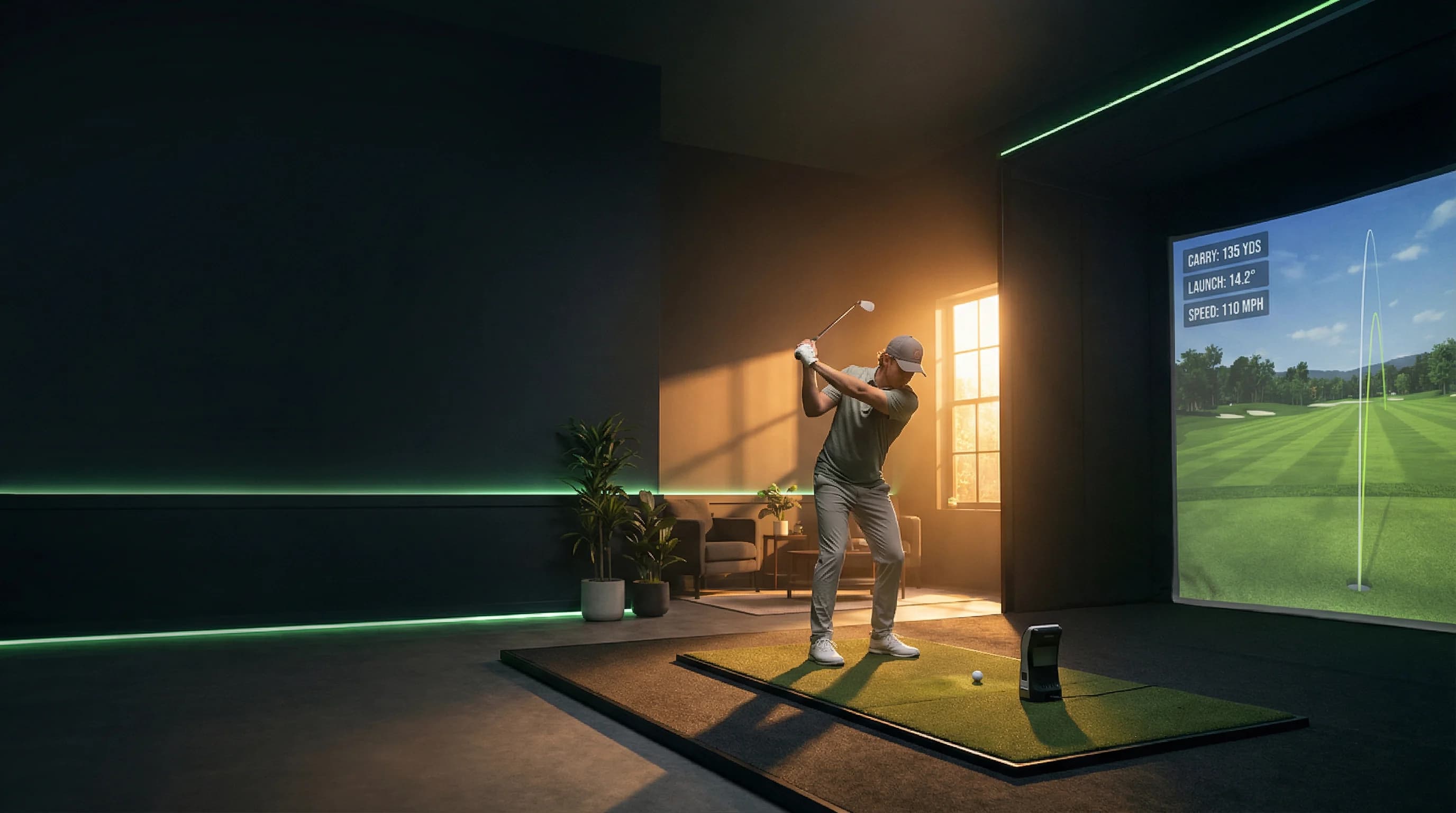
A golf simulator is an indoor system that measures your shot, then shows realistic ball flight on a virtual course or practice range. In plain terms, it combines a launch monitor, hitting area, and software so you can practice or play golf without going outside.
If you are new to simulators, the confusing part is not the concept. It is figuring out what is actually worth paying for. This guide gives you the fast answer first, then a decision framework you can use whether you are booking bay time or building a home setup.
Quick Answer: What a Golf Simulator Includes
A complete golf simulator usually has five parts:
- Launch monitor: tracks ball and sometimes club data.
- Hitting zone: mat or turf where you hit shots.
- Impact screen or net: where the ball goes.
- Software: range mode, skills games, and virtual courses.
- Display + device: projector, TV, tablet, or computer.
If one of these pieces is weak, the whole experience feels weak. A beautiful room with poor ball data is still poor practice.
How a Golf Simulator Works (Without the Tech Jargon)
When you hit a shot, the simulator captures key numbers at impact, then predicts and renders the full flight.
Step 1: Shot data is captured
The launch monitor reads the shot using either:
- Radar (tracks movement through space)
- High-speed cameras (captures impact and early flight)
- Hybrid systems (use both approaches)
Step 2: Physics engine calculates the ball flight
The software uses core inputs like:
- Ball speed
- Launch angle
- Spin rate
- Side spin or spin axis
- Direction
From that, it calculates carry, total distance, curve, peak height, and where your shot would land on the virtual course.
Step 3: You get feedback you can act on
This is the real value. You can see:
- Shot pattern over time
- Club-by-club distance gaps
- Miss tendencies (pull, push, slice, hook)
- Whether a swing change is helping
For beginners, this removes guesswork fast.
Simulator Types: Venue Setup vs Home Setup
Most golfers start at a venue, then decide later if home setup makes sense.
| Setup Type | Best Fit | Typical Cost Range | Main Tradeoff |
|---|---|---|---|
| Venue bay rental | New golfers, casual rounds, social groups | Roughly $30-$80/hour in many markets | Ongoing hourly spend |
| Venue membership | Frequent indoor practice | Often $100-$400/month, varies by market | Need consistent usage to justify |
| Entry home setup | Budget-conscious home users | About $3,000-$7,000 total | More compromises in room and data depth |
| Mid-tier home setup | Serious practice at home | About $8,000-$20,000 total | Higher upfront cost |
| Premium home studio | Dedicated golfers, coaching, fitting | $20,000+ | Biggest build cost and space demands |
These are broad ranges, not fixed prices. Your local market, hardware choice, and room work will move the number up or down.
Is a Golf Simulator Accurate?
Short answer: accurate enough for real improvement when the setup is good.
A common mistake is asking if all simulators are accurate. They are not. Accuracy depends on:
- Launch monitor quality
- Proper ball placement
- Correct calibration
- Lighting and room conditions
- Using the right mode (practice vs game mode)
For beginners, you do not need tour-level perfection on day one. You need a system that is consistent enough to show patterns. Consistency beats random feedback.
If you want a technical breakdown of hardware categories, start here: Launch monitor guide.
What Data Actually Matters for Beginners
Many first-time users stare at 20 data fields and learn nothing. Start with these five:
- Carry distance: your real gapping baseline.
- Ball speed: how efficiently you are striking it.
- Launch angle: whether you are launching too low or too high.
- Spin rate: whether shots are floating, knuckling, or over-spinning.
- Dispersion pattern: your left-right miss window.
Everything else can come later.
If your goal is to lower scores, make decisions from trends over multiple shots, not a single "best shot" screen.
What to Expect in Your First Simulator Session
If you have never used one, here is the normal first session flow:
- You check in and warm up for 5-10 minutes.
- Staff sets your bay and software mode.
- You hit a few calibration shots.
- You run either range mode or a 9-hole virtual round.
- You review distances, misses, and notes before leaving.
Good first-session goals
- Build honest carry distances for 4-6 clubs.
- Learn your common miss.
- Test one setup question (for example, "Is this shaft too soft?")
Bad first-session goals
- Chasing max distance on every swing.
- Making five swing changes at once.
- Comparing your numbers to strangers online.
How to Choose the Right Simulator Venue
Not every indoor golf venue is built for the same outcome.
Use this quick filter:
- If you want skill improvement: prioritize launch monitor quality, coaching options, and quieter bays.
- If you want social play: prioritize group bay layout, food/drink, and game modes.
- If you want club fitting: prioritize fitting-capable hardware and staff expertise.
Then validate the listing details before booking:
- Launch monitor brand and model
- Hourly rate and peak pricing
- Session length rules
- Walk-in vs reservation policy
- Rental clubs and left-handed availability
You can filter these quickly in GolfSimMap search and compare nearby options in US venue listings.
Hardware Basics: Radar vs Camera (And Why You Should Care)
You do not need to memorize every model, but you should understand the two main families.
Radar-based systems
- Track the ball through space
- Strong for full-flight and outdoor crossover
- Can need more room depth depending on model
Camera-based systems
- Capture impact with high-speed imaging
- Very strong on spin and face-impact detail
- Often popular for indoor fitting and compact spaces
You can browse venue pages by hardware type on GolfSimMap:
The best fit depends on your goal. If you are mainly practicing face contact and start line indoors, camera-heavy systems are often a strong fit. If you want a broad training profile and potential outdoor continuity, radar can be a great fit.
Common Beginner Mistakes (And How to Avoid Them)
Mistake 1: Buying or booking based on brand name alone
Brand matters. Setup quality matters more. A premium monitor in a poor bay still gives a frustrating experience.
Mistake 2: Ignoring environment details
Mat quality, tee options, and enough swing space affect both comfort and data.
Mistake 3: Treating simulator distance as ego distance
Use simulator numbers for decisions, not social bragging. Your scores improve when your distances are honest.
Mistake 4: No practice plan
Going in with "I will just hit balls" usually wastes time. Go in with one focus per session.
Venue or Home: A Practical Decision Framework
Use this framework before you spend:
Choose venue first if:
- You are still learning your preferences.
- You are not sure how often you will practice.
- You want to test multiple hardware types first.
- You do not have ideal ceiling height at home.
Consider home setup if:
- You already practice indoors 2-4 times per week.
- You value convenience more than social atmosphere.
- You have enough room and budget for a safe build.
- You want consistent reps at odd hours.
If you are on the fence, venue-first is usually the smarter first step.
What Is a Golf Simulator Best For?
A simulator is best for:
- Building consistent contact patterns
- Speeding up feedback loops
- Year-round reps in bad weather
- Distance gapping sessions
- Skill games and social rounds
A simulator is less ideal for:
- Reading real greens and grain
- Full on-course strategy pressure
- Exact replication of every lie condition
It is a tool, not a magic fix. Used well, it saves months of random practice.
Your Next Step
If you are new, do this in order:
- Book one focused venue session.
- Track carry distance and miss pattern for 5 clubs.
- Compare two nearby venues with different hardware.
- Keep the setup that gives you the clearest feedback.
Start with indoor golf simulator search, then compare options by launch monitor and venue vibe before you book.
References If You Want to Go Deeper
- USGA Rules Hub for official rules context.
- TrackMan for radar-based launch monitor details.
- Foresight Sports for camera-based launch monitor details.
Frequently Asked Questions
Is a golf simulator accurate enough for real practice?
Yes, if the system and setup quality are solid. For most golfers, simulator data is accurate enough to improve carry gapping, strike quality, and dispersion control.
How much does it cost to use a golf simulator venue?
In many markets, expect around $30-$80 per hour per bay for off-peak sessions, with higher pricing at popular evening/weekend times. Always confirm current rates before booking.
Can beginners use golf simulators?
Absolutely. Simulators are beginner-friendly because they give instant feedback in a controlled setting. Venues with coaching support and beginner-friendly bay settings are the best place to start.
Do I need my own clubs to use a simulator?
Not required, but recommended. Rental clubs work for a first try. Your own clubs make the data much more useful because it reflects your real bag setup.
What ceiling height is recommended for a home golf simulator?
Nine feet can work for many golfers, but ten feet gives more safety margin for full-speed swings. Taller players and steeper swings usually benefit from extra height.
How long should my first simulator session be?
One hour is enough for a first session if you stay focused. Ninety minutes is better if you want warm-up, data collection, and a short course simulation.
Related Articles
60-Minute Golf Simulator Practice Plan: What to Do With One Bay Hour
Booked one hour at an indoor golf simulator? Use this practical 60-minute practice plan to warm up, map carry numbers, train scoring shots, and finish with pressure instead of just hitting random balls.
ReadWhat to Bring to a Golf Simulator: First-Time Indoor Golf Checklist
Heading to an indoor golf simulator for the first time? Bring the right clubs, clean balls, shoes, and booking details so your bay time goes smoothly.
Read